Restaurants Archives - Yumapos

Online Ordering systems for restaurants: What should you look for?

Online ordering used to mean a page where customers could place an order. Restaurants now have several options: Their own website or app, marketplaces such as Deliveroo, Uber Eats and Just Eat, standalone platforms, or ordering built directly into their EPOS.

The important question isn’t which system has the longest feature list. It’s what happens after the customer presses “place order” — and how well that order fits into the rest of the restaurant’s operation.


What is a restaurant online ordering system?

An online ordering system lets customers browse a restaurant’s menu, place and usually pay for a collection or delivery order digitally. That covers several genuinely different setups:

  • Third-party marketplaces (Deliveroo, Uber Eats, Just Eat)
  • A restaurant’s own branded website
  • A dedicated mobile app
  • QR or table ordering
  • Ordering built directly into an EPOS platform

Restaurants often use more than one of these channels. The important question is how well they work together.


1. Does it connect directly to your EPOS?

This is one of the most important questions on this list, because there’s a real difference between an ordering platform simply existing alongside the EPOS and being genuinely integrated with it.

Ask directly:

  • Do online orders appear automatically on the till?
  • Do they go straight to the kitchen or KDS?
  • Are online and in-store sales reported together, or separately?
  • Does stock update from online sales the same way it does from till sales?
  • Does the restaurant need another tablet to manage this?
  • Does anyone ever have to manually re-key an order?

Picture 20 online orders arriving alongside a busy Friday-night service. If staff have to monitor another screen and manually re-enter those orders, the system isn’t fully integrated. Ask the provider to demonstrate exactly what happens from the moment an online order is placed.

What a connected hospitality tech stack actually looks like and how to compare EPOS software both cover this in more depth – worth reading before judging any provider’s answer on this point.


2. What does it actually cost you per order?

The headline monthly subscription is only part of the picture. A full cost comparison needs to account for:

  • Monthly platform fee
  • Setup fees
  • Payment processing
  • Per-order charges
  • Commission
  • Website or app costs
  • Delivery charges
  • Minimum order requirements
  • Contract length

The important distinction is between a fixed software cost and costs that scale with order value. A system that looks cheap on the monthly invoice can still cost more overall once commission or per-order fees are added up across a busy month.


3. How easy is it to manage your menu?

Menu management can create significant admin if your EPOS and online ordering system aren’t connected. Check whether:

  • You can change a price once and have it update everywhere
  • You can mark something unavailable immediately, across every channel
  • Different locations can have different menus or prices
  • Modifiers can be configured properly, not just bolted on
  • Allergen and product information is manageable in the same place
  • You need to update the EPOS and the online menu separately

Ideally, a menu change should only need to be made once. YUMA’s EPOS features already covers how menu changes should push across every site, device and ordering channel at once.

Allergen information deserves a specific mention here. Under Food Standards Agency guidance, food sold through distance selling (including online ordering) needs written allergen information available at two separate points: Before the order is placed, and again when it’s delivered. A menu system that can’t surface this cleanly online isn’t just a convenience gap, it’s a compliance one.


4. Can it handle collection and delivery properly?

“Delivery” as a checkbox on a features list tells you nothing about how it actually behaves under pressure. Look for genuine control over:

  • Collection time slots
  • Delivery zones
  • Delivery fees by area
  • Minimum order values
  • Estimated preparation times
  • Opening hours
  • Order throttling or capacity limits
  • Temporarily disabling ordering
  • Customer order updates
  • Pre-orders

Capacity controls are particularly important during busy periods. Check whether orders can be throttled, delayed or temporarily paused when the kitchen reaches capacity.


5. Can you build a direct customer relationship?

Direct ordering can give restaurants greater control over the customer relationship. Check whether:

  • You can identify repeat customers
  • Customers can create accounts
  • Ordering history feeds into loyalty
  • Customers can opt into marketing properly
  • You can run promotions to your own customer base
  • You can see how often customers actually return
  • The system supports offers and vouchers, not just one-off transactions

Not every restaurant needs an elaborate loyalty scheme on day one. What matters is that the ordering system doesn’t block one being built later – marketing tools that plug straight into the same customer data are worth having in place even before a formal programme exists.

Collecting an email address during an order doesn’t automatically give a restaurant permission to use it for marketing. See the ICO’s direct marketing guidance for the applicable requirements.


6. Is the customer experience actually good?

The operational side can work perfectly while a poor ordering experience still costs the restaurant sales. Look for:

  • Mobile-first ordering
  • Fast load times
  • A simple checkout
  • Guest checkout, not a forced account
  • Apple Pay, Google Pay or similarly convenient payment options
  • Clear, easy-to-use modifiers
  • Easy reordering
  • Clear collection and delivery information
  • Consistent branding with the rest of the restaurant

Test the ordering journey yourself on mobile before choosing a provider.


7. Can it grow with your restaurant?

Some requirements don’t matter today and become genuinely painful the moment a restaurant expands. Worth thinking ahead about:

  • Multiple locations
  • Central menu management
  • Site-specific pricing
  • Central reporting
  • Different delivery zones per site
  • Central customer and loyalty data
  • Staff permissions
  • Franchise or group structures

Even single-site operators should understand what would change if they opened another location, including pricing, menu management, reporting and customer data. How software requirements change moving from one site toward several is worth reading now, before it becomes urgent.


Questions to ask before choosing an online ordering system

A concise checklist worth taking into any supplier conversation:

Ask the provider Why it matters
Where does an online order go when a customer places it? Whether it’s genuinely integrated
Do staff ever need to re-enter an order? Operational efficiency
How are menu changes managed? Whether you’re duplicating admin
What will 500 online orders actually cost me? True cost
Who controls the customer data? Customer ownership
What happens when the kitchen reaches capacity? Operational control
Can I manage delivery areas and collection times? Fulfilment flexibility
Can it connect to loyalty and marketing? Repeat business
What changes if I open another location? Scalability
What support is available during service? Reliability


Do you need your own online ordering system if you’re already on Deliveroo, Uber Eats or Just Eat?

Essentially, yes. They serve different purposes. Marketplaces can help restaurants reach customers through established ordering and delivery platforms. Direct ordering gives the restaurant more control over its branding, customer journey and the cost of repeat orders.

Many restaurants therefore use both: Marketplaces for reach, and their own ordering channel for customers who already know the business.


The takeaway: look beyond the ordering page

When comparing online ordering systems, look at the whole journey:

Customer → order → payment → EPOS → kitchen → stock → reporting → repeat customer

The best setup minimises manual handoffs between those stages. Ask providers to demonstrate that complete journey rather than comparing feature lists alone.

Want to see how online ordering connects with your EPOS? Explore YUMA Online Ordering or book a demo.

The five reports every restaurant should check each week

Most restaurants check sales. Fewer check the four numbers sitting right next to it that actually explain why sales look the way they do. On their own, each number is a fragment. Together, they tell you whether the week actually went well, or just looked like it did on the surface. Here are the five worth a proper look every week, what each one is really telling you, and what a bad reading actually looks like in practice.


1. Sales, compared, not just totalled

What it is: This week’s sales against last week’s, and against the same week last year.

Why it matters: A number on its own tells you nothing. £8,000 this week is either a great result or a worrying one, entirely depending on what it’s being compared to. Trend matters more than total.

What it looks like in practice: A steady Thursday that’s actually 12% down on the same Thursday last year — invisible if you’re only looking at this week in isolation, obvious the moment you put the two side by side.

Watch for: A quiet week that looks fine on its own but is actually down against last year — the kind of drift that’s easy to miss until it’s a real problem, because no single week ever looks alarming by itself.


2. Profit by category, not just revenue

What it is: Which menu categories are actually making money, not just moving volume.

Why it matters: Revenue and profit are very often different questions. A category selling well can still be quietly dragging on margin if food cost has crept up without anyone noticing — a supplier price rise that never made it back into the menu price is one of the most common, least visible profit leaks in hospitality.

What it looks like in practice: Your best-selling main is still your best-selling main, but its margin has slid three points over the last two months because a key ingredient’s gone up in price and nobody adjusted for it.

Watch for: A best-seller with a margin that’s thinner than you’d assume — worth checking against actual cost data, not gut feel or last year’s numbers.


3. Voided and cancelled orders

What it is: How many orders were voided or cancelled this week, and by whom.

Why it matters: A small, steady number is normal — genuine mistakes happen, every shift, everywhere. A sudden spike, or a pattern tied to one till or one shift, is usually the first sign of either a training gap or something worth a closer look.

What it looks like in practice: One terminal showing three times the void rate of every other till on the same shifts — sometimes it’s a training issue, sometimes it’s worth a direct, calm conversation.

Watch for: Cancellations clustering around a specific time, terminal, or member of staff, rather than being spread evenly across the week.


4. Stock variance

What it is: The gap between what your system says you should have in stock, and what you actually have.

Why it matters: Some variance is normal — spillage, portioning drift, minor waste, all part of running a kitchen. A growing gap, week over week, usually means something specific: Over-portioning that’s crept in gradually, waste that isn’t being logged properly, or stock going missing somewhere between delivery and plate.

What it looks like in practice: A 2% variance on a high-cost ingredient might be nothing. The same 2% appearing three weeks running, on the same ingredient, is a pattern worth actually investigating rather than writing off as normal wastage.

Watch for: The same ingredient showing variance two or three weeks running — a one-off is noise, a repeat is a signal.


5. Repeat customer rate

What it is: What share of this week’s customers have been in before.

Why it matters: New customers are visible and satisfying to chase — every marketing push is built around them. Repeat customers are usually the more profitable, more reliable number, and the one that quietly tells you whether the actual experience is bringing people back, rather than just getting them through the door once.

What it looks like in practice: A busy month on paper that’s almost entirely new faces, with barely any of last month’s customers coming back — a growth number that’s actually masking a retention problem.

Watch for: A healthy footfall number masking a low repeat rate — busy isn’t the same as building a base, and the two can look identical on a simple sales report.


How to actually make this a five-minute habit

The reason most operators don’t check these numbers regularly isn’t that they don’t care — it’s that “check the numbers” is vague enough to keep getting pushed to tomorrow. A few things that make it actually stick:

  • Pick a fixed day and time, ideally the quietest admin moment in your week, and treat it the same as any other recurring task
  • Look at all five together, not just whichever one happens to catch your eye — the value is in the combination, not any single number in isolation
  • Write down what surprised you, even briefly — a number that looks the same as last week isn’t worth dwelling on, but anything unexpected is worth a note so you can check whether it’s a blip or a trend


Where these numbers actually come from

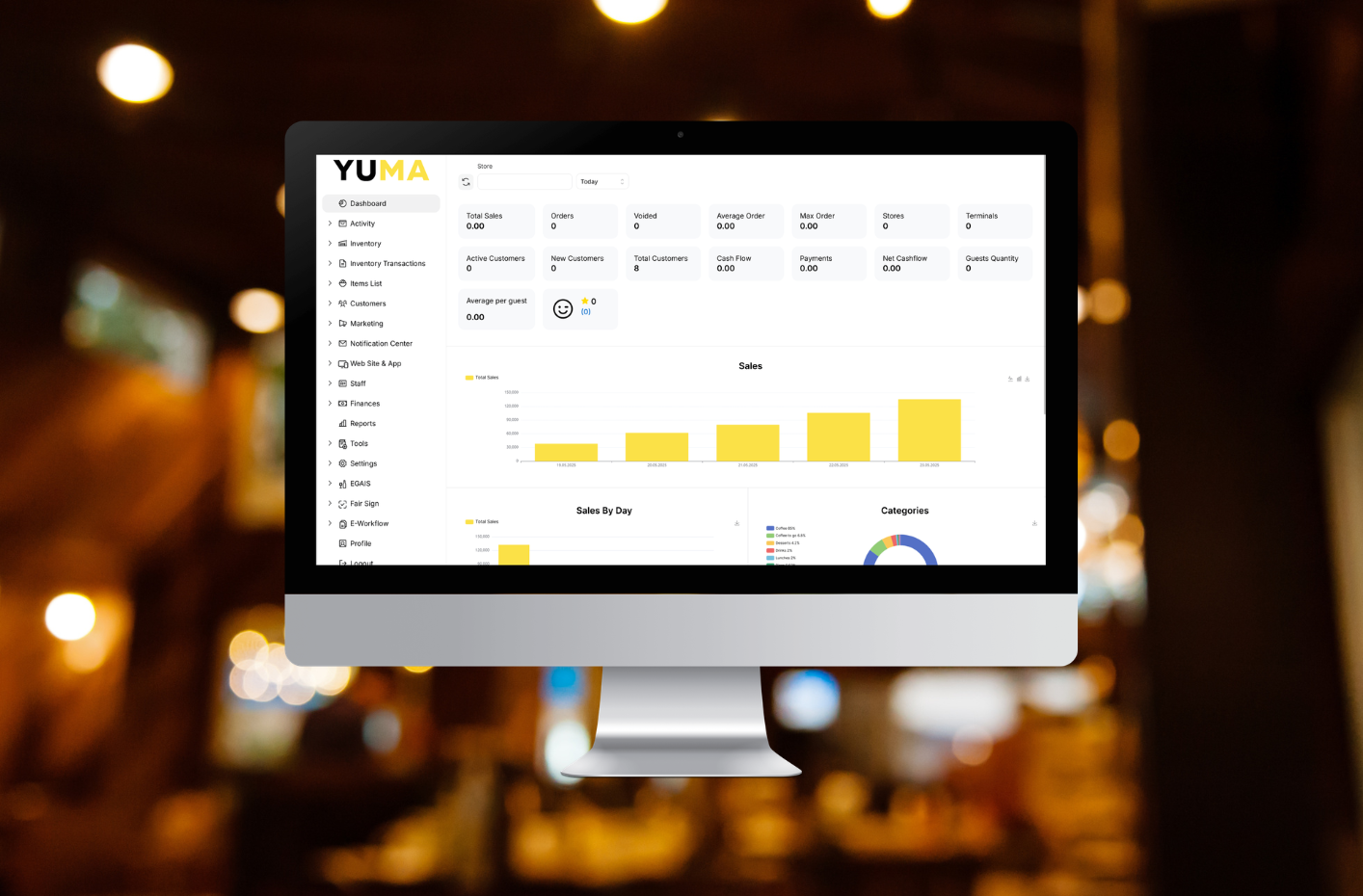
None of this requires a spreadsheet built from scratch. YUMA’s back office already generates sales, profit and loss, inventory, and customer reports as standard, with a dashboard view pulling the headline numbers together so a weekly check takes minutes, not an afternoon reconciling separate systems.


The takeaway

Sales alone tells you what happened. These five numbers, together, start telling you why — and where to look next. None of them need a data analyst to check. They need five minutes, once a week, a fixed slot in the diary, and the discipline to actually look before the numbers surprise you rather than after.

Want to see what a weekly check actually looks like on a real dashboard? Book a demo with YUMA and we’ll show you.

POS for restaurants: What to expect from service to stock

An order moves through five stages between being placed and showing up in your reporting. Here’s what should happen at each one — and what it looks like when a system gets it wrong.


1. Order entry

A server or counter staff member enters the order — table, counter, or handheld. Items, modifiers, allergen notes, all in one pass.

Done badly: A slow, cluttered interface. Modifiers hunted for through menus within menus. Notes typed into a free-text box the kitchen has to actually read to catch.

Done properly: Fast entry regardless of menu size. Modifiers surfaced immediately, not buried. The order attached to the right table instantly, ready for the next course.


2. Order routing

The order needs to reach the kitchen the moment it’s confirmed, exactly as entered.

Done badly: A printed ticket, or worse, a shouted order. Notes lost between till and pass. Course timing left to a server’s memory.

Done properly: The order lands on a kitchen display instantly. Course timing enforced automatically — starters now, mains held until the table’s ready. Every modifier carried across exactly as entered.


3. Payment processing

By the time the table’s ready to pay, the bill needs to be accurate, and account for however they actually want to split it.

Done badly: A bill reconstructed from memory. Splitting a table three ways turns into a queue at the till. Service charge and tips calculated inconsistently, or by hand.

Done properly: The bill builds itself, live, as items are added. Splitting by item, by seat, or evenly takes seconds. Service charge and tips calculated correctly and recorded properly, in line with legal requirements.


4. Stock deduction

The moment payment clears, the system should already be updating what just left the kitchen.

Done badly: Stock tracked by weekly manual count, disconnected from what’s actually selling. Shortages discovered mid-service, the hard way.

Done properly: Ingredients deducted automatically, by recipe and portion, not just “one dish sold.” Low stock flagged before it becomes a problem, not after.


5. Reporting

Everything that just happened needs to turn into something you can actually use.

Done badly: An end-of-day total and not much else. Real numbers require pulling data from three separate places by hand.

Done properly: Sales, stock and labour data pulled together automatically in back office reporting. Genuinely useful reporting shows you which dishes are profitable, not just popular — so reordering decisions are based on real numbers, not guesswork.


Why the handoffs matter more than any single step

A system can do any one of these five steps well and still let you down overall — because the real failure point usually isn’t the step itself, it’s the gap between two steps. An order that’s entered perfectly but doesn’t route automatically. A payment that’s taken cleanly but doesn’t touch stock. Each individual link can look fine in a demo. What matters is whether the whole chain holds up during a genuinely busy service.


The takeaway

The real test of a restaurant POS isn’t whether it can take an order, print a ticket, or produce a report — every system claims to do all three. It’s whether what happens at step one flows automatically through to step five, every time, without anyone standing in the gap doing it by hand.

Want to see the whole chain in action? Book a demo with YUMA and we’ll run a real order through it, start to finish.

EPOS system comparison for restaurants: the questions that actually matter

Generic EPOS comparison advice — check the pricing, ask about support, look at reporting — applies to any hospitality business. But a full-service, table-based restaurant has needs a café, pub or takeaway simply doesn’t: course timing, splitting a table’s bill six ways, service charge handled correctly, reservations that connect to what actually happens on the night. If you’re comparing systems specifically for a restaurant, these are the questions worth asking that a generic checklist won’t cover.


How precisely does it handle course timing?

In a restaurant, timing isn’t a nice-to-have — starters, mains and desserts need to reach the kitchen at the right moment, not all at once. Ask any provider to show you exactly how course management works: can a server hold back a course until the table’s ready, and does the kitchen see that timing clearly, or does everything just land in the same queue regardless of course?


How does it handle splitting a bill six different ways?

Retail and quick-service systems rarely need to split a single transaction across multiple people, multiple ways, on the spot. A table of six wanting to pay separately, or three couples wanting to split evenly, is a daily occurrence in full-service dining. Ask to see bill-splitting handled live, not described — by item, by seat, and evenly — and time how long it actually takes.


Does it handle service charge and tronc properly?

Discretionary service charge and tip distribution are a genuine compliance area for restaurants specifically, governed by the Employment (Allocation of Tips) Act 2023, which requires tips to be passed on fairly with clear records. Ask exactly how a system handles service charge, card tips and tronc distribution — and whether it keeps the records the law now requires, or leaves that entirely up to you to manage separately.


Do reservations and pre-orders actually connect to the floor?

Many restaurants take bookings and, increasingly, pre-orders — but a reservation system that doesn’t talk to the till means a table’s pre-order has to be re-entered by hand once they arrive. Ask specifically whether a booking or pre-order flows straight into the order that reaches the kitchen, or whether it’s a separate system your staff have to bridge manually.


How does front-of-house ordering actually work under pressure?

A handheld waiter app that works fine in a quiet demo can behave very differently on a packed Saturday night — slow to sync, awkward to search a long menu on, or clunky when modifying an order table-side. Ask to try it yourself, specifically under conditions that mimic a busy service: fast order entry, quick modifiers, and immediate transfer to the kitchen.


The takeaway

A generic EPOS comparison will tell you about pricing, support and general reporting — all useful, but none of it restaurant-specific. The questions that actually separate systems for full-service dining are the ones above: course timing precision, real bill-splitting, proper tronc handling, reservations that connect to the floor, and front-of-house ordering that holds up under real pressure. Ask providers to show you each of these directly, rather than describe them.


Want to see how YUMA handles a full-service restaurant’s specific demands? Book a demo and put it through exactly this list.

Why is my restaurant tech disconnected? The five most common culprits

If your till, your delivery tablets, your stock spreadsheet and your reporting all feel like they’re doing their own thing, you’re not alone — and it’s rarely down to one bad decision. Disconnected restaurant tech almost always builds up gradually, through a handful of very ordinary, very understandable choices. Here are the five most common causes, and how to spot each one in your own setup.


Culprit 1: Bolt-on growth

The symptom: every time you’ve needed a new capability — online ordering, a loyalty scheme, a second delivery platform — you’ve added a new tool to solve that one problem.

The cause: each addition made sense in isolation, but nobody was ever asking whether the new tool would actually talk to what you already had. UK restaurants keep investing in technology at a steady pace — recent industry research covered by UKHospitality shows the large majority of UK restaurant leaders plan further tech investment this year — but more tools without an integration plan usually means more disconnection, not less.


Culprit 2: A different vendor for every job

The symptom: your till is from one company, your card machine is a separate provider, each delivery platform runs its own tablet, and your website is built and hosted by someone else entirely.

The cause: no single vendor is responsible for making sure all of this works together, because none of them built the whole thing. Each provider optimises for their own product working well — not for how well it plays with everyone else’s.


Culprit 3: No shared login, no single source of truth

The symptom: to answer “what did we sell today?” you have to open three or four different logins and manually add the numbers together yourself.

The cause: each system stores its own data separately, with no shared record either system trusts as the master copy. A menu price exists in your till’s database and separately in your online ordering platform — so a change in one doesn’t reach the other without someone doing it twice.


Culprit 4: Nobody actually owns the tech decision

The symptom: decisions about new tools get made reactively, whenever a problem gets painful enough, rather than as part of any deliberate plan.

The cause: in a lot of independent hospitality businesses, there’s no single person whose job is specifically to look at the tech stack as a whole. Each tool gets chosen by whoever hit that particular problem first, which means nobody’s ever evaluating the full picture — including whether a new tool actually connects to what’s already there.


Culprit 5: “If it ain’t broke” inertia

The symptom: you know the current setup is clunky, but switching feels riskier than just living with it.

The cause: disconnected systems rarely fail dramatically — they just quietly cost time every single day, which makes the cost easy to underestimate and easy to keep tolerating. A one-off, visible cost (like changing providers) feels more threatening than a small, invisible, repeated cost (like ten minutes of manual reconciliation every shift), even when the second one adds up to far more over a year.


What connects all five

None of these are really about bad decisions. They’re about a series of individually reasonable choices that, added together, produce a disconnected stack nobody actually designed. The fix isn’t found by ripping everything out — it’s in judging any future addition to your stack, or any replacement of your current EPOS, on one specific question: does this actually connect to everything else, automatically, or does it just sit next to it?


The takeaway

If your restaurant’s tech feels disconnected, it’s very unlikely to be one single mistake — it’s more likely a combination of these five ordinary, gradual causes. Recognising which of them applies to your business is the first step to actually fixing it, whether that’s consolidating onto one connected system or simply being more deliberate about how the next tool gets chosen.


Want to see what a genuinely connected setup looks like instead? Book a demo with YUMA and we’ll walk you through it.

Key features to look for in a restaurant EPOS

Running a restaurant requires constant coordination between people, processes and technology. From managing orders and payments to keeping the kitchen, front of house and back office aligned, the systems you rely on play a critical role in how smoothly service runs each day.

At the centre of these operations is your EPOS. When it is intuitive and well designed, it supports faster service, gives teams confidence on shift and provides the insight operators need to stay in control. When it is overly complex or disconnected, it can slow teams down, create friction during busy periods and limit your ability to grow.

Choosing the right restaurant EPOS is therefore not just a technical decision, but an operational one. The best systems are built around real hospitality workflows, adapting to different service styles while remaining simple to use under pressure.

Below, we explore the key features to look for in a restaurant EPOS, and why each one matters for delivering consistent service today and building a stronger, more scalable business for the future.

1. Fast, intuitive EPOS your team can trust

In hospitality, speed and confidence matter more than fancy features.

A great restaurant EPOS should feel natural from the first shift, with clear workflows your team can master in minutes — not weeks.

Look for:

  • Simple, clutter-free screens designed for busy service
  • Split bills exactly how guests want:
    • By seat or item
    • Evenly by number of people (auto-calculated)
    • Part payments and mixed tenders
  • Quick, transparent service charges
  • Instant routing of drinks to the bar and food to the kitchen
  • Smart course management so you can fire dishes at just the right time
  • Consistent recipes and prep instructions across shifts and sites

Why it matters:

When your EPOS works the way service actually runs, staff feel confident, queues move faster, and mistakes drop — especially at peak times.

2. Smarter table and mobile ordering

Different venues serve differently — and your EPOS should adapt to your style, not force you into one way of working.

The best systems offer multiple service views, including:

  • Floor plan view — see your restaurant layout in real time
  • Order list view — ideal for counter service or fast-paced operations
  • Card view — quick, at-a-glance oversight during busy shifts
  • Multiple floor plans — manage rooms, levels, terraces or outdoor seating

Add in:

  • A waiter app for tableside ordering and payments
  • QR code ordering so guests can order and re-order without waiting
  • Automatic order routing to the right prep station — no confusion, no shouting

Why it matters: 

Smarter ordering reduces bottlenecks, keeps service flowing, and lets your team focus on guests instead of screens.

3. Flexible menu & recipe management

Menus change. Prices shift. Allergens matter. Your EPOS should make updates simple — not risky.

Key features to look for:

  • Instant menu, price and modifier updates
  • Accurate recipe building with allergen tracking and costing
  • Drag-and-drop dishes between courses on the POS
  • One-click updates pushed across:
    • All sites
    • All devices
    • Online ordering menus

Why it matters:

Consistency protects margins, keeps teams aligned, and ensures guests get the same great experience every visit.

4. Inventory management that actually helps the kitchen

Stock control shouldn’t live in spreadsheets or guesswork.

A modern restaurant EPOS connects sales directly to inventory — automatically.

Look for:

  • Real-time stock levels and usage
  • Automatic deductions as items sell
  • Low-stock alerts before you run out
  • Clear visibility to reduce waste and protect margins

Why it matters:

Better stock control means fewer surprises, less waste, and tighter margins — without adding admin to already busy days.

5. Online ordering that puts you back in control

Online ordering should grow your business — not eat into your profits.

The right EPOS supports direct sales while keeping everything connected.

Essential features include:

  • Commission-free branded online ordering for collection and delivery
  • Full menu sync with your EPOS — no double entry
  • Order throttling to protect kitchen pace
  • Delivery marketplace orders (Deliveroo, Uber Eats, Just Eat) flowing straight into the EPOS

Why it matters:

You keep more of every sale, avoid errors, and manage all orders from one system — even during busy periods.

6. Multi-site tools for operators with ambition

Whether you’re running two sites or ten, control and consistency matter.

A scalable EPOS should grow with you — without changing systems.

Look for multi-site features like:

  • Centralised menus, pricing and permissions
  • Real-time performance comparisons across locations
  • Shared staff, rota and stock management
  • Easy rollout of new sites using the same system

Why it matters:

You stay in control as you grow, with visibility across your whole estate — not a patchwork of disconnected tools.

7. Loyalty and promotions that drive repeat visits

Regulars keep hospitality businesses strong.

Your EPOS should help you build those relationships — automatically.

Key loyalty features to consider:

  • Fully branded loyalty programmes
  • Customer spend and visit tracking
  • Automated promotions and targeted rewards
  • Digital vouchers and schemes (including Blue Light Card)
  • Timed offers, happy hours and rules-based promotions

Why it matters:

Better insight into customer behaviour means smarter offers, stronger relationships, and more repeat visits without manual effort.

The bottom line: choose an EPOS that works with you

The best restaurant EPOS systems don’t just process orders.

They:

  • Make service smoother
  • Help teams feel confident
  • Reduce operational stress
  • Support growth without complexity

Most importantly, they’re built around real hospitality workflows — not generic software assumptions.

If you’re evaluating EPOS systems, look beyond feature lists and ask one simple question:

Will this make life easier on shift — today and as we grow?

That’s where the right partner makes all the difference.

Next step

If you’d like to see how an all-in-one EPOS built for real hospitality works in practice, explore YUMA — the hospitality partner, built to help you run smoother, serve faster and grow with confidence.